Take charge of your money—anytime, anywhere
Manage your accounts, pay bills, and move money from any device. We make digital banking simple so you can focus on what matters most.

Whether you’re paying bills after work, depositing a check from your kitchen table, or keeping an eye on your savings goals, Allegacy’s digital banking tools are designed to make everyday financial decisions simple and secure.
Manage your money anytime, anywhere with secure digital and mobile banking services— backed by local experts who are always within reach
No matter how you prefer to pay — in person, online, or on the go — Allegacy makes it simple and secure. From debit cards and digital wallets to online bill pay and account transfers, you have flexible options designed around your routine.
We know how unsettling fraud concerns can feel. That’s why Allegacy combines advanced security tools, real-time monitoring, and local support to help protect your accounts every day.
If you suspect fraud, you deserve clear answers and quick support. Allegacy offers step-by-step guidance, responsive account assistance, and practical tools to help secure your information and restore peace of mind.
Your work doesn’t stop at a desk — and your banking shouldn’t either. With Allegacy, you have secure, convenient access to your accounts from virtually any device. Track balances, schedule payments, deposit checks, and stay connected to your money wherever the day takes you.

Transfer money between accounts, schedule recurring payments, view balances and transactions, set up alerts, and manage checks — all in one secure place from your computer or mobile device.

Check balances, pay bills, find nearby ATMs, view eStatements, and deposit checks with a quick photo from your smartphone or tablet. Banking that moves with you.

Schedule one-time or recurring payments, receive eBills, manage multiple payees, and track your payment history — all from one streamlined, secure platform.

With eligible checking accounts, you may receive certain ACH deposits up to two days early, depending on when funds are provided to us — giving you quicker access to your money when timing matters.

Use simple voice commands through the Allegacy Alexa skill to access account information and review recent transactions — hands-free convenience at home.

Enable Quick Balance through the Allegacy Mobile App on your Apple or Android smart watch to check balances and stay connected at a glance.

Receive an email when your statement is ready, access up to 24 months of history online, and reduce paper clutter while keeping your information secure and organized.

Grant secure access to authorized users with customizable permissions, so you can manage business accounts while maintaining control and privacy.

Manage your accounts, pay bills, and move money from any device. We make digital banking simple so you can focus on what matters most.
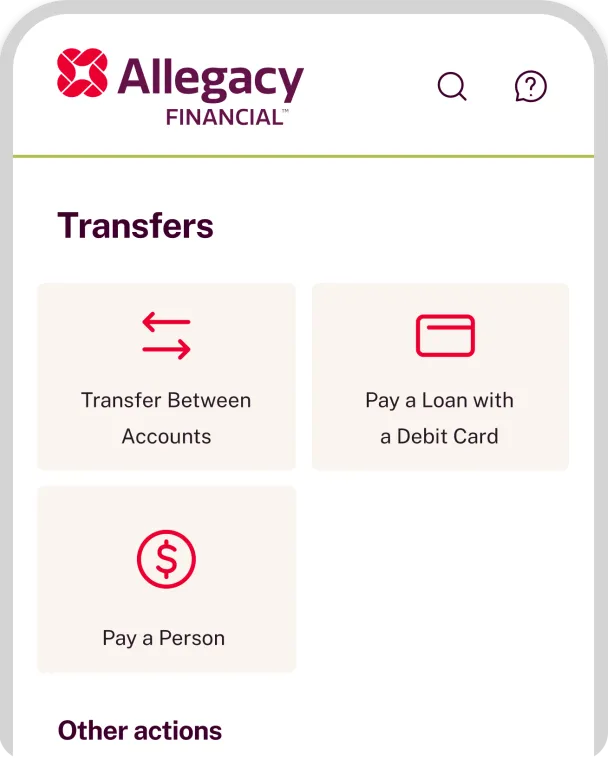
We are reimagining digital banking. You’ll see powerful upgrades designed to give you more control, strong security, and smarter tools — all in one streamlined experience. And this is just the beginning.
Lock and unlock your card instantly, manage full card controls, and connect seamlessly to Apple Pay® and Google Pay®. Your card, your control — wherever you go.
Benefit from enhanced authentication and advanced fraud monitoring, while tracking your credit score directly inside your account. Protection and visibility, working together.
Use a loan payoff calculator, make one-click installment loan payments, and access more detailed account reporting when you need deeper insight.
Customize your dashboard, reorder accounts, hide what you don’t use, search for answers quickly, and apply for loans or new products in minutes — right from your device.